BRING YOUR OWN KEY
Your key. Your quota. Same studio.
YouTube research runs on a free but limited allowance: 10,000 units a day, shared by everyone on the hosted studio. Add your own YouTube Data API key and your research spends your own 10,000 units instead. The studio, your credits, your scripts and every feature stay exactly the same.
Your own 10,000 units a day
Separate from the shared budget. A busy day on your account no longer competes with anyone else's research, and nobody else's can exhaust yours.
Nothing else changes
Same features, same credits, same exports. The key only decides whose YouTube allowance pays for the lookups. Failed calls are still refunded automatically.
Encrypted and removable
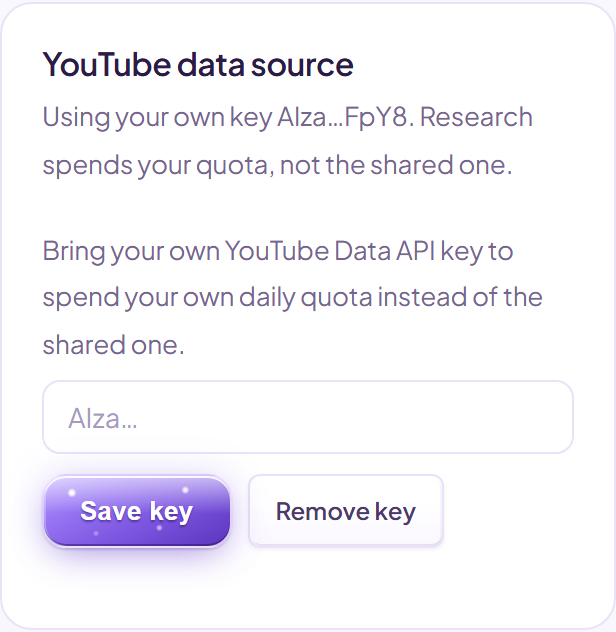
Stored encrypted, shown only as AIza…FpY8, never logged. Remove it in one click and the shared key takes over again.
SIX STEPS, ABOUT THREE MINUTES
How to get your key and set it up
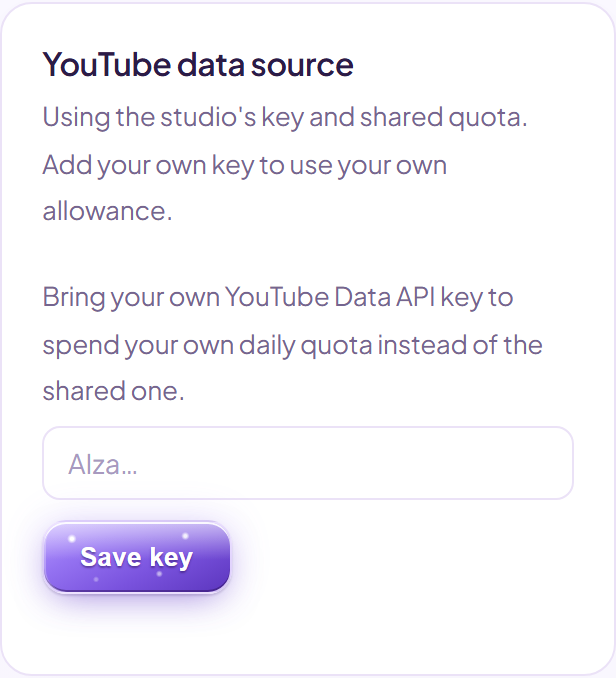
Steps 1–4 happen in Google Cloud Console, which needs your own Google account — that is the only part we cannot show a screenshot of. Steps 5–6 are the studio, shown exactly as you will see them.
Open Google Cloud Console and pick a project
Go to console.cloud.google.com/projectcreate and create a project (for example framefusion-research), or select an existing one from the project picker at the top of the page.
Google requires a billing account to enable most APIs, but the YouTube Data API has a free daily allowance; creating the key itself costs nothing.
Enable the YouTube Data API v3
Open APIs & Services → Library → YouTube Data API v3 and press Enable. Without this, Google answers every call with accessNotConfigured and the studio will tell you the API is not enabled for that key.
Create the API key
Go to APIs & Services → Credentials → Create credentials → API key. Copy the value that starts with AIza. Treat it like a password: it is the only thing that can spend your quota.
Restrict it the right way
Click the new key to edit it, then set:
- Application restrictions → None.
- API restrictions → Restrict key → tick YouTube Data API v3 only.
Paste it into the studio
Sign in, open Settings, find YouTube data source, paste the key and press Save key. The studio checks it immediately with one cheap call and tells you exactly what is wrong if Google refuses it.
Confirm, and know how to undo it
The status line switches to your masked key and the card shows Remove key. Open Video library and trending loads from your quota. Removing the key at any time returns you to the shared allowance; nothing else about your account changes.
IF SOMETHING IS WRONG
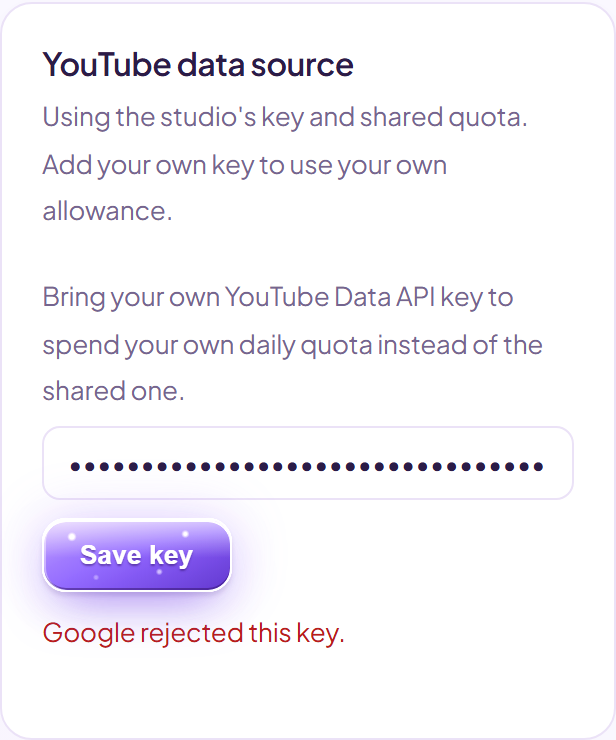
The studio tells you which fix to apply
A rejected key is not a silent failure. Each Google error maps to a specific message: invalid key, expired key, IP restriction, API not enabled, or daily quota already spent.
DETAILS
Questions people ask
Does this change my price or my credits?
No. Credits, packs and every feature are unchanged. The key only changes whose YouTube allowance pays for the lookups. A failed call is refunded exactly as before.
What happens when my key runs out of quota?
Google resets the allowance at midnight Pacific. Until then research on your account answers with a message that the daily quota is spent. You can remove the key to fall back to the shared allowance, or wait for the reset.
What if my key stops working?
The studio does not silently switch to the shared key. The request fails with the reason, so your quota is never spent behind your back and the operator's is not spent on your behalf. Fix the key, or remove it to go back.
Is my key safe on your server?
It is stored encrypted, masked in every response as AIza…FpY8, never written to logs, and deleted the moment you press Remove key. Our support staff cannot read it back.
Can I use the same key in two studios?
Yes, but both accounts then share that key's 10,000 units a day. If you need separation, create a second project and a second key.
Does the desktop app use it too?
Yes. The desktop app signs in to the same hosted studio, so the key attached to your account applies there as well.

READY WHEN YOU ARE
Bring your key. Keep your budget.
Your credits, your studio, your allowance.
Open the studio See credit packs